Your Staging Prompt Matches Production. Your Staging Data Does Not.

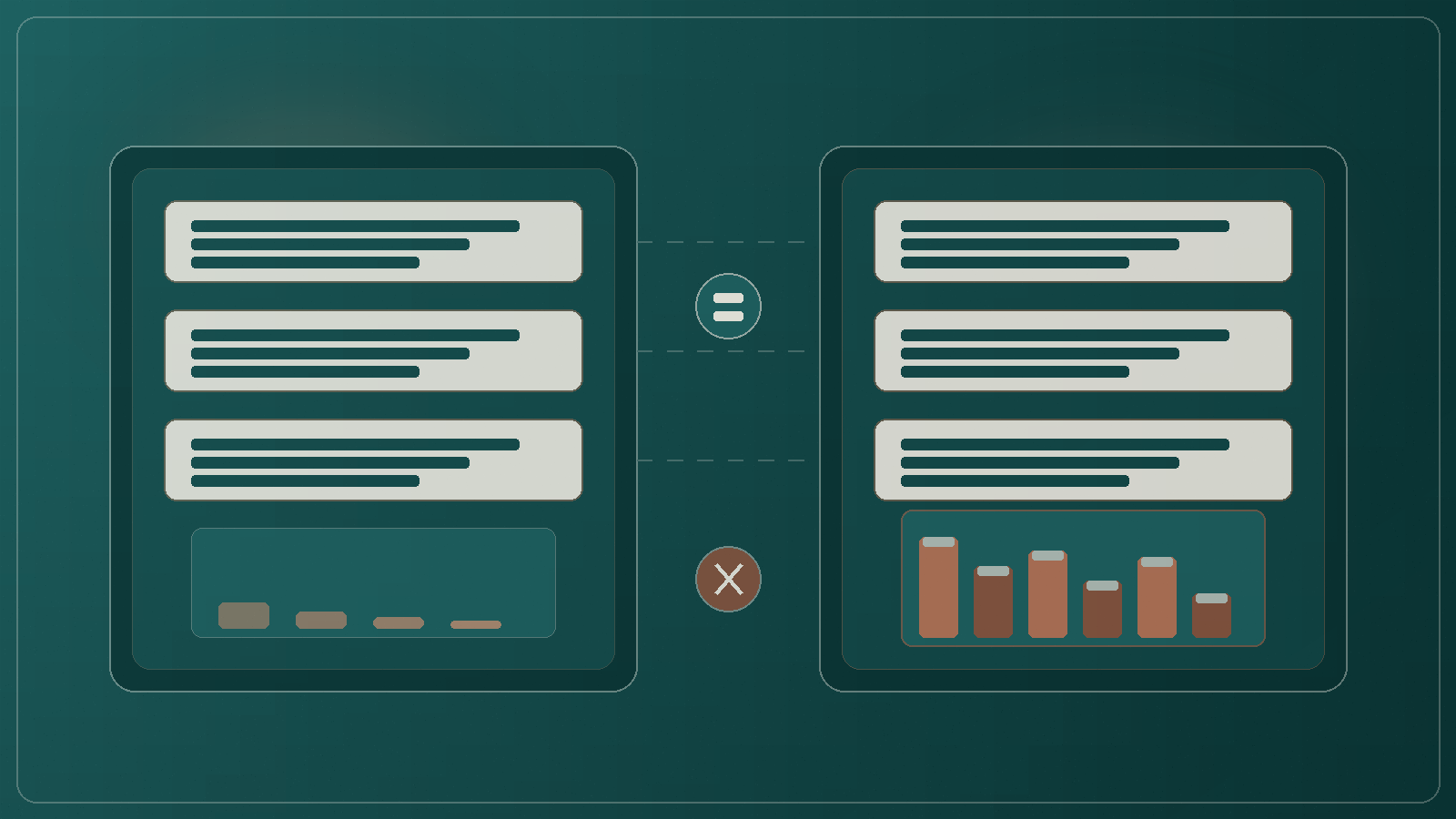


Your staging prompt is a perfect twin of production. Same system message. Same few-shot examples. Same tool instructions copied across environments with a tidy pipeline. The demo in staging looks calm. Then you promote, and the model starts citing documents that never existed in the test tenant, calling tools that were stubs last week, or retrieving a corpus that is three releases behind the live SharePoint library.
The surprise is not that prompts matter. It is that teams treat prompt parity as the finish line for environment parity. Prompts are the easy part. Data, tools, and retrieval indexes are where staging quietly diverges, and where production surprises are born.
This post is about closing that gap before the next go-live.
Prompts are text. They live in git, a config service, or a prompt registry. Diffing them is cheap. Copying them is a pull request. Reviewers can read a change in minutes. So of course teams get prompt parity first. It feels like control, and it shows up nicely in architecture reviews.
Data parity is different. Production documents arrive daily. PII scrubbing removes the awkward cases you most need to test. Tool stubs return happy-path payloads. The retrieval index was built from a snapshot taken before the policy rewrite. None of that fits in a neat YAML file next to the prompt. So it gets deferred, then accepted as 'good enough for staging', then forgotten until customers notice.
If your release checklist stops at 'prompt matches production', you have checked the label on the box, not the contents.
The failure modes are familiar across banks, insurers, government agencies, and professional services firms. They rarely look exotic. They look like shortcuts that made sense under delivery pressure.
None of this means staging must be a full clone of production. It means staging must be honest about the behaviours you claim to have tested.
Picture a mid-sized Australian bank rolling out an internal 'policy assistant' for contact centre staff. The team versions the production prompt into staging with care. Evaluation scripts run green against a scrubbed FAQ dump. Leadership signs off because the wording matches, the tone matches, and the sample answers look professional.
Go-live week, staff ask about a new hardship variation that landed in the live knowledge base two days earlier. Staging never had that document. The assistant confidently blends an older variation with a neighbouring product rule. Separately, a write tool that was stubbed in staging now opens a real case note. The prompt still says 'confirm before writing'. The stub never forced that branch, so nobody noticed the confirm step was easy to skip under time pressure.
Nothing here required a novel model failure. Prompt parity held. Data parity and tool parity did not. The same pattern shows up in insurers citing obsolete product rules, agencies answering from a pre-machinery-of-government corpus, and professional services firms retrieving last year's playbook because the staging index lagged SharePoint sync.
Before you call an AI change 'staging verified', walk this list with engineering, data, and the product owner in the room.
Good staging is not a museum of perfect data. It is a deliberate approximation that preserves the failure modes you care about. Prompts match because they are easy. Indexes refresh on a defined cadence. Scrubbing keeps structural difficulty. Tools speak something close to production truth. Evaluations include 'document missing', 'tool failed', and 'access denied', not only 'happy summary'.
Teams that get this right treat environment parity as an operating model concern, not a one-off migration task. They version prompts, yes, but they also version corpus snapshots, tool contract fixtures, and retrieval configs. They talk about staging honesty in release notes the same way they talk about model choice.
Pick one production AI surface that already has a staging twin. Do three things before Friday.
You do not need a perfect twin of production to stop shipping surprises. You need an honest twin of the behaviours you claim to have tested. When the staging prompt matches production but the staging data does not, trust the gap, not the green demo. Close the parity gap on purpose, then promote.